Step 1 of 2
Export your Balance CSV
Stripe keeps a detailed record of every transaction fee. Follow the steps below to export it.
1
Open Stripe Dashboard → Reports
In the left sidebar click Reporting → Reports. You'll see Balance summary, All fees, and Payout reconciliation.
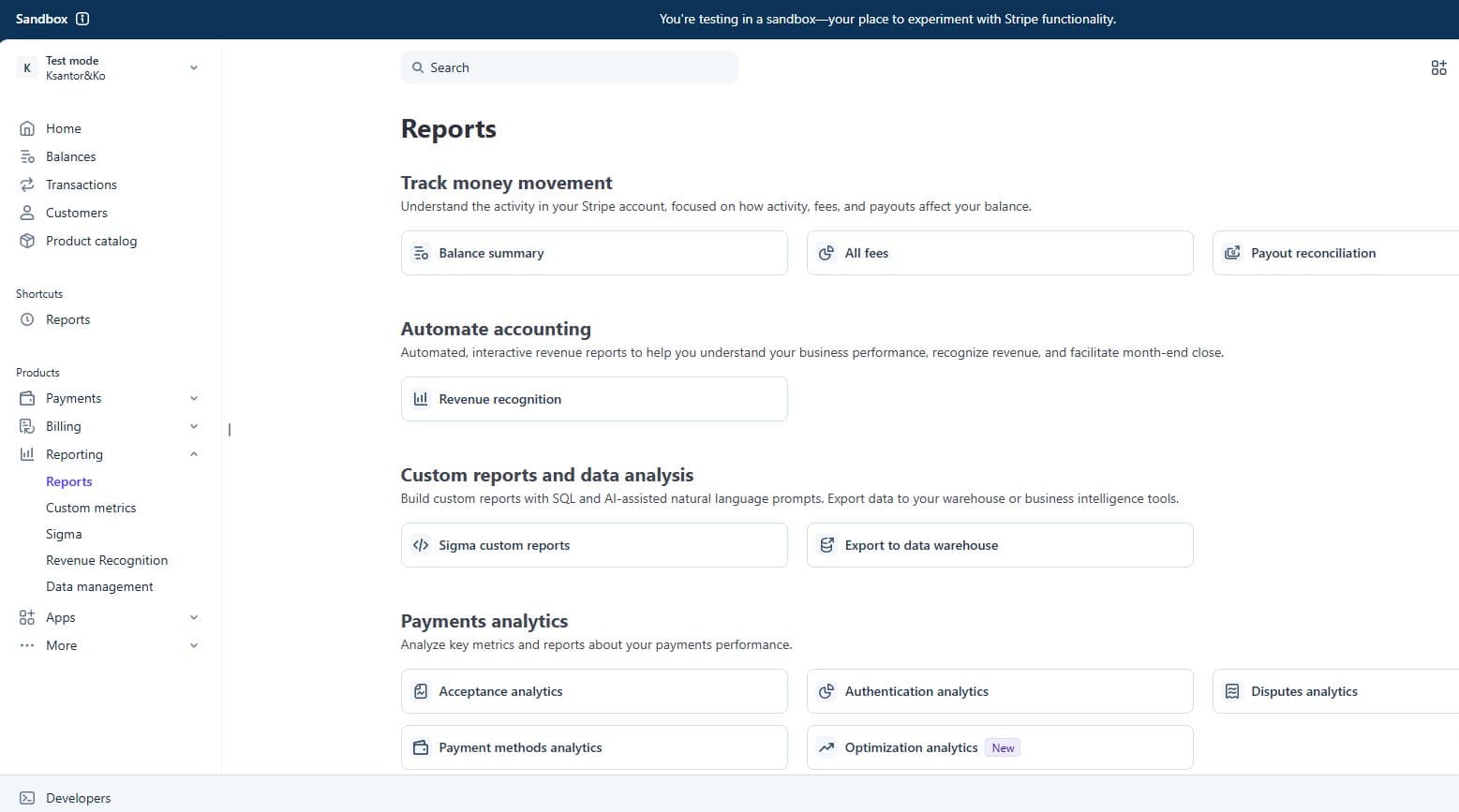
💡 Make sure you have access to Reporting — Owners and Admins can see this.
2
Click "Balance summary" → set date range → Export
Under Track money movement click Balance summary. Set your date range (last 3–12 months recommended), then click Export in the top right.
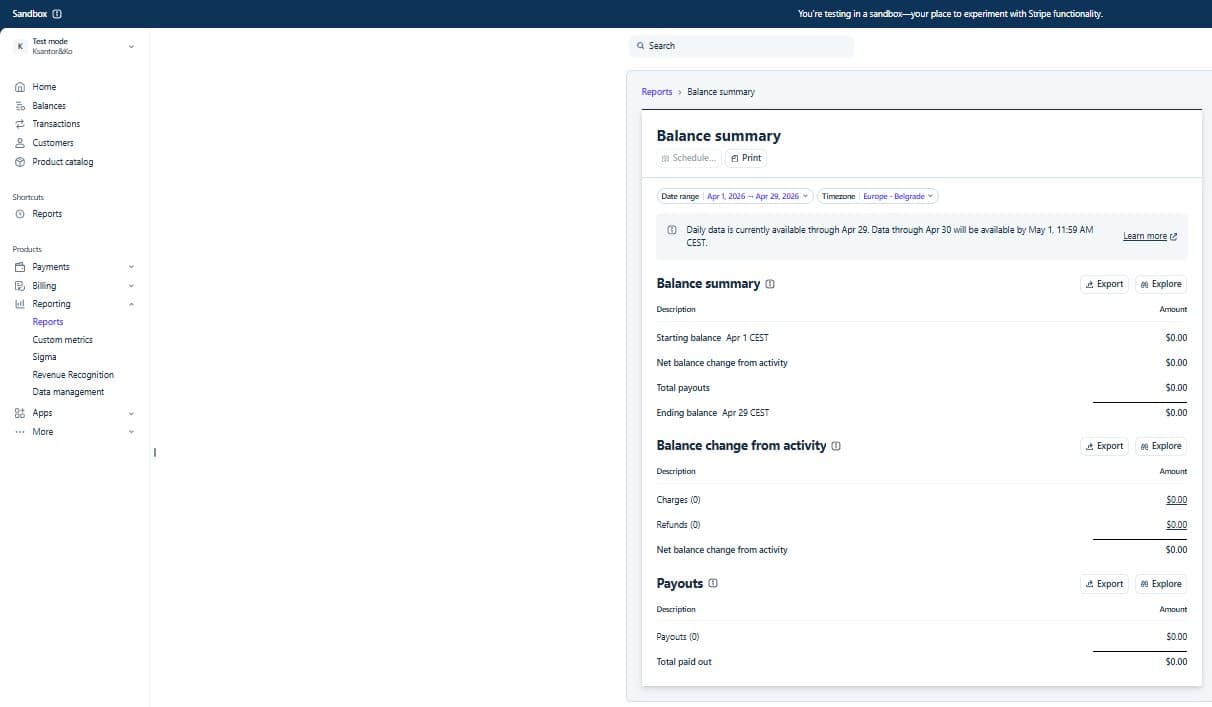
💡 URL looks like: dashboard.stripe.com/reports/balance_summary
3
Click "Download to system" → Save CSV
In the Export dropdown select Download to system. The file downloads as a CSV named something like balance_YYYY-MM-DD.csv.
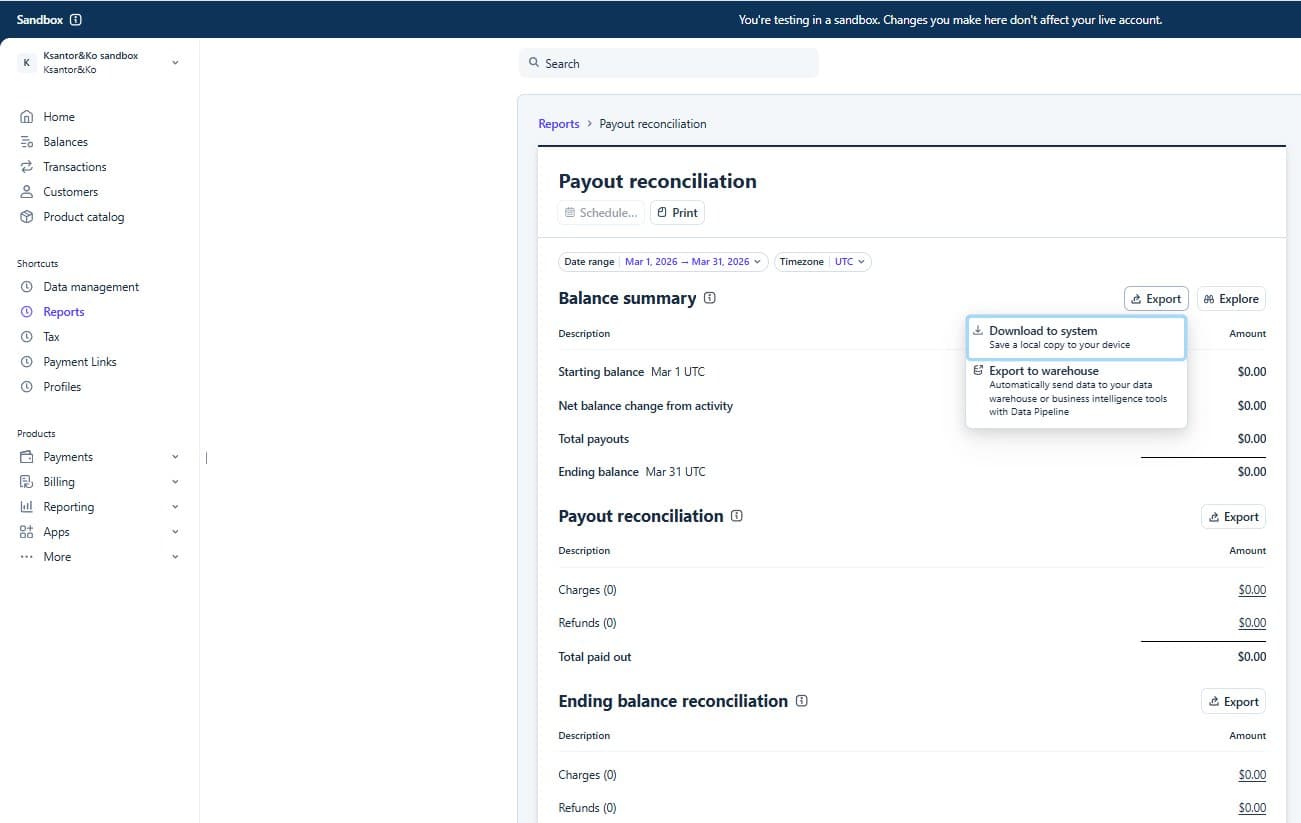
💡 Choose 'Download to system' — not 'Export to warehouse'.
Button appears in 5s — read the steps above first